Mastering Grunge Photoshop Brushes for Authentic Design
It’s really tempting to just dive into all the different brush types there are and what tasks they’re used for. You will get plenty of opinions here and they will probably all be correct. However, when you are working with Grunge Photoshop Brushes, you aren't just selecting a tool; you are selecting a texture, a mood, and a history. These aren't your standard clean lines or airbrush effects. Grunge brushes carry the DNA of decay, urban landscapes, and raw energy. They are the visual equivalent of a garage band's sound—unpolished, loud, and undeniably authentic.
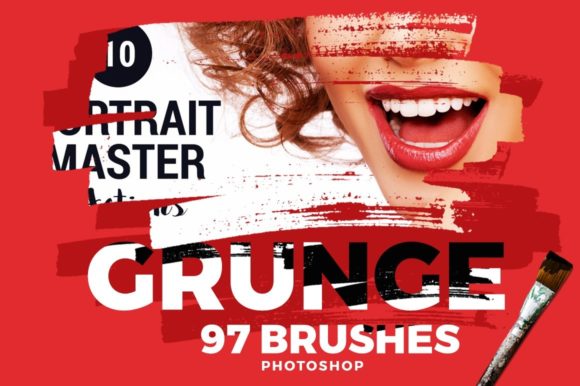
When deciding which brush to use, you have to look beyond the thumbnail. You need to consider the striking brush qualities ranging from shape and length to thickness and stiffness. A grunge brush might be a splatter of ink, a scrape of concrete, or a dusty smudge. If you are building a brand identity for a gritty streetwear label, you need something heavy and aggressive. If you are designing a vintage-style wedding invitation, you need a softer, more distressed texture that mimics aged paper without overpowering the script font. The appeal of this style lies in its imperfection. In a digital world that is often too crisp and vector-perfect, grunge adds a human touch. It suggests that something was made by hand, or that it has survived a bit of weathering, which instantly adds character and depth to your design assets.
Where Gritty Textures Belong: Applications and Use Cases
Want to add a bit of cohesive coolness to your latest project? You can do it in a snap using Photoshop brush techniques. The versatility of Grunge Photoshop Brushes is what makes them a staple in the creative professional's toolkit. They are not limited to heavy metal album covers or horror movie posters anymore. You can find a variety of brushes in beautiful collections that range from subtle grain to heavy debris.
Here is where they truly shine across different mediums:
- Logo Design and Brand Identity: For businesses that want to appear established, artisanal, or edgy, grunge textures are invaluable. Imagine a coffee shop logo where the typography looks like it has been stamped on a burlap sack. The brushes help you wear down the edges of your sans serif font or display font, integrating the text into the background rather than letting it float aimlessly. This creates a cohesive look that speaks to the brand's personality.
- Editorial and Packaging Design: In publishing, especially for genres like mystery, thriller, or historical fiction, a grunge background sets the tone immediately. For packaging, particularly in the craft beer or organic food sectors, these brushes help create a rugged, tactile feel. You can overlay a dust texture on a label to make it feel vintage, or use ink splatters to add movement to a static layout.
- Digital and Web Design: Don't think these are just for print. In web design, grunge brushes can create unique website headers or background textures that make a site memorable. They are excellent for social media graphics where you need to stop the scroll. A distressed frame around a photo or a gritty overlay on a banner ad adds a layer of visual interest that clean, corporate templates often lack.
The key is using them as an accent. They make a great addition to menu design, stationery, and websites. These lovely brushes, each designed to elevate your concept art, work preferably in huge prints like posters, but they scale down well for mini-adds or stickers if applied with a light hand.
The Art of Restraint: Hierarchy, Readability, and Pairing
While it is tempting to cover an entire canvas in dirt and scratches, the mark of a good designer is restraint. Grunge Photoshop Brushes are powerful, but they can easily ruin readability if misused. You have to think about visual hierarchy. The grunge element should support the message, not compete with it.
When working with typography, specifically body text or smaller details, keep the grit away from the letterforms. If you are using a handwritten font or a script font for a headline, a subtle texture can look amazing, but you need to ensure the counters (the spaces inside letters like 'o' and 'e') remain open. If you are pairing a heavy grunge texture with a serif font or sans serif font, check the contrast. High-contrast pairings usually work best—meaning if the background is busy and textured, the foreground text needs to be bold and clean.
Here is a practical checklist for integrating these assets effectively:
- Evaluate Project Fit: Does the client's audience appreciate raw, organic aesthetics? A tech startup focused on clean code might not appreciate a splatter brush, but a local brewery certainly will.
- Test Font Pairings: Don't guess. Lay your grunge texture down and place your type on top. Try mixing a distressed display font with a clean modern typography style for the body copy. This contrast helps maintain legibility while keeping the vibe consistent.
- Opacity is Your Friend: Rarely do you need a grunge brush at 100% opacity. Drop it down to 20% or 30%. You are looking for a whisper of texture, not a scream. This allows you to add a real cohesive look to any type of project without overwhelming the content.
- Commercial Licensing: Always verify that your collection is a premium font or asset pack with proper licensing for commercial use. You don't want to build a brand identity only to find out the textures weren't cleared for print or merchandise.
Ultimately, using grunge brushes is about storytelling. It’s about adding a layer of history or attitude to a flat digital canvas. When you build a huge brushes library with a beautiful collection, you are giving yourself the vocabulary to express complex emotions through texture. Whether you are distressing a vintage poster or adding a subtle grain to a website background, these tools allow you to control the atmosphere of your design, ensuring your work feels grounded, authentic, and professionally crafted.